Recently I wrote about how error messages need more than just turning something red — they need an icon, a clear description, and a format suggestion.
But there's a layer that comes before all of that: if your colors don't meet minimum contrast requirements, the message is still invisible — just for a different reason.
WCAG defines two distinct thresholds here:
- 4.5:1 for text — titles, body copy, error messages (WCAG 1.4.3)
- 3:1 for non-text elements — icons, borders, UI components (WCAG 1.4.11)
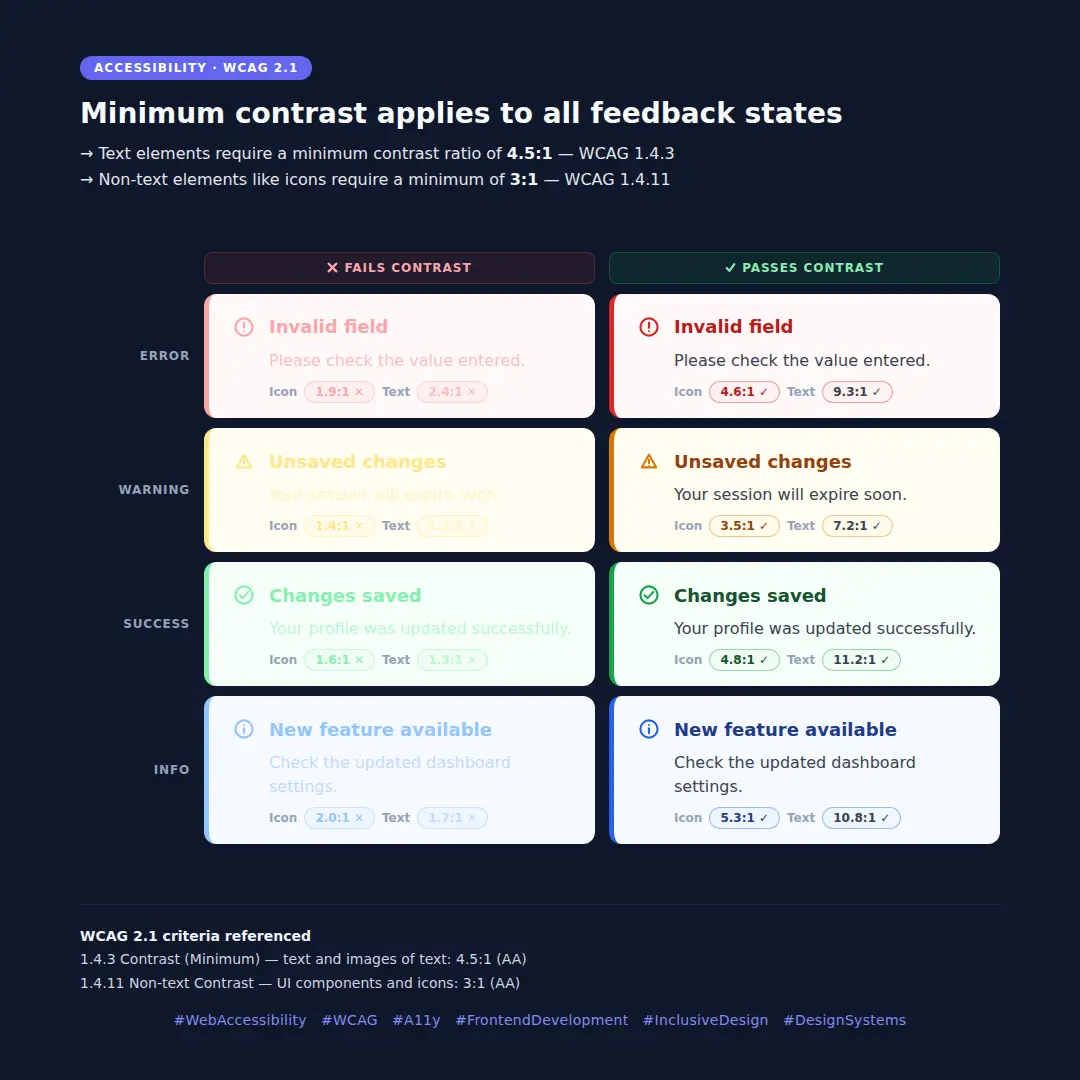
And here's what many teams miss: these rules apply to all feedback states — not just errors. Warning, success, and info components fail just as often, and usually go unchecked.
The image above shows all four states side by side — what failing contrast looks like versus what actually meets the standard, with the real ratios shown for both text and icons.
If your design system doesn't validate contrast per state, this is worth auditing.
WCAG 2.1 criteria referenced:
- 1.4.3 Contrast (Minimum) — text and images of text: 4.5:1 (AA)
- 1.4.11 Non-text Contrast — UI components and icons: 3:1 (AA)